Playing June's Journey on Web and on Facebook
As you’ve heard in the past months, Meta has updated how web games run on Facebook, and as Web Games has shut down, June’s Journey now runs on their Instant Games platform.
(See below for more information on how to play on Instant Games.)
Our top recommendation for playing on your computer is still our website, play.junesjourney.com, but Instant Games provides a convenient alternative, if you prefer playing directly inside Facebook!
How do I play on play.junesjourney.com?
Type play.junesjourney.com into your browser
Log in with your existing Facebook account
Continue your investigations with the additional, exclusive benefits of Orchid+.
Can't find it easily? You can also get there via the official Facebook page:
Click "Play Game"
Shortcut the page for easier access next time!
How to shortcut it:
Google Chrome: Support page
Microsoft Edge: Support page
Safari (Mac): Support page
What about my friends and my club?
Your friends and your club are safe! Because play.junesjourney.com uses Facebook's login system, your friends list and profile picture carry over automatically – no extra steps needed on your end.
Your club and all its members will still be there. If your clubmates were also playing on Facebook, they'll simply need to make the same move to play.junesjourney.com. Once they log in with their Facebook account, everyone will be right back together. We recommend letting your club know about the move so no one gets left behind!
Is play.junesjourney.com different from my Facebook game?
No. It's the exact same June's Journey you know and love, built by Wooga – just in a new home! Your game progress, island, and full investigation history transfer seamlessly when you log in with your Facebook account.
It works on all major browsers - Chrome, Edge, Firefox, and Safari – so you can keep playing comfortably on your usual computer.
What are the free Orchid+ benefits on play.junesjourney.com?
Think of this as your Detective Upgrade! These exclusive welcome gifts, offers, and features are completely free for everyone playing on play.junesjourney.com – no subscription, no trial period, no catch. They're simply part of playing on the new platform.
🎁 Welcome Gift*: A special token of appreciation waiting for you the moment you arrive.
📈 Up to +50% on Daily Gifts: Get up to 50% extra value on your daily gift claims every single day.
✨ Quality of Life Features: Exclusive gameplay features to make your playing experience easier.
💎 Extra Value on Purchases: Get more Diamonds and Coins for your money.
🎟 Free Skip Pass*: Skip ads and move through your Detective tasks more smoothly than ever.
🛍 Exclusive Orchid+ Sales: Access unique deals and packages found nowhere else.
… and much, much more!
*Welcome Gift and Free Skip Pass offers are only valid for first-time Orchid+ players and are redeemable only once.
What about payments? I used to pay through Facebook
play.junesjourney.com has its own secure, built-in payment system, and it actually gives you more options than before! You can pay using credit and debit cards, PayPal, and a range of other popular payment methods. The checkout process is safe, straightforward, and handled directly by Wooga and its chosen processors.
Does that mean the June's Journey Facebook Community Page is also shutting down?
Not at all! Our official Facebook page at facebook.com/junesjourney is staying right where it is. You can still visit to join community contests, claim gifts and rewards, and chat with your fellow Detectives. Only the interactive game inside Facebook is retiring.
Is it secure to log into play.junesjourney.com?
Yes, completely. When you click "Log in with Facebook," you are authenticating through Meta's own official, secure login system. Wooga never sees, handles, or stores your Facebook password. Your account and your progress are in safe hands – all that's waiting for you is your next investigation.
How do I play on Facebook Instant Games?
While our top recommendation for the smoothest experience and exclusive Orchid+ perks remains playing on our dedicated website at play.junesjourney.com, you can still enjoy June’s Journey directly inside Facebook through Meta’s Instant Games platform.
To launch the game on Facebook Instant Games:
Open Facebook on your computer browser and log into your account.
In the left-hand navigation menu or top shortcut bar, click on Gaming (or Play Games).
Search for June’s Journey in the search bar and click Play on Facebook.
Alternatively, you can visit the official app on Facebook Instant Games at apps.facebook.com/junesjourney.
Once launched, the game runs directly within your Facebook window with no additional downloads required. Your game data, island, and progress will connect automatically through your active Facebook session so you can jump right back into your investigations.
What changes will I experience if I play on Facebook Instant Games?
If you decide to play directly inside Facebook rather than on play.junesjourney.com, here is what looks and works a bit differently:
A fresh look and new loading screen: The game window looks a little cleaner, and Facebook now shows its own quick startup screen while your Orchid Island loads.
Extra privacy for you and your friends: Facebook has updated how personal details are shared. You’ll now see your own name listed simply as "Me", and friends’ real names or certain Facebook profile photos won't appear on leaderboards or friend lists anymore.
Safe and simple payments: When you make a purchase, you'll see Facebook’s updated, official checkout screen to keep your details safe and secure.
Note: Your core game has not changed. Your story and event progress, Orchid Island, and all saved items are fully preserved
Why don't I see Facebook names in the game?
To protect your privacy, the game no longer accesses your Facebook account details when you play through Instant Games. This means your Facebook name and Facebook profile photo on the Orchid Island map view will no longer appear inside the game.
What you will notice:
Facebook names: Names across your Profile, Friends list, and leaderboards will no longer display Facebook names. Your own account will simply show as “Me”.
In-game Portraits: Instead of using your Facebook profile picture as your player Portrait, your Avatar on the Orchid Island map view will show your chosen June's Journey character portrait.
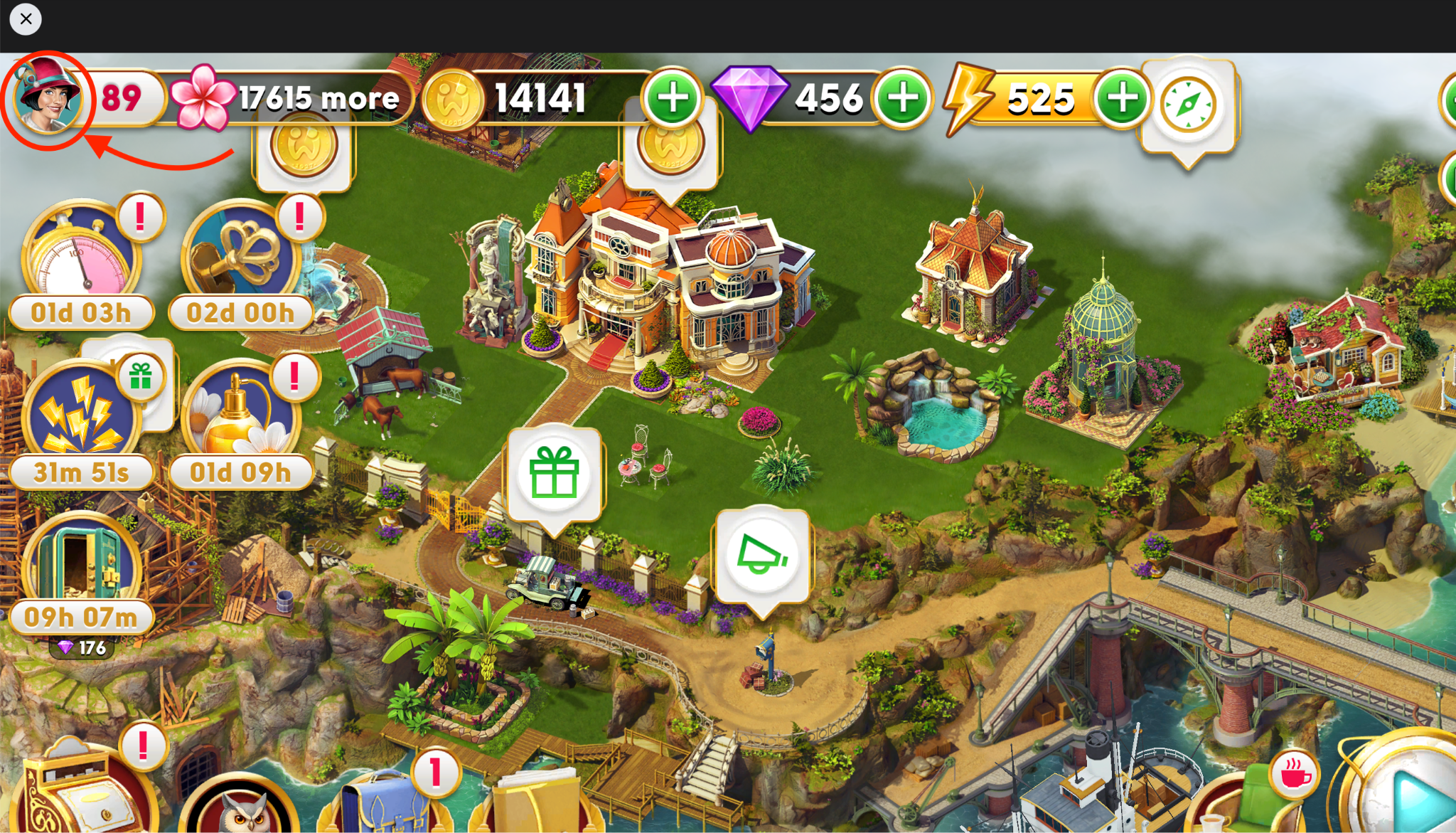
Rest assured, your account is completely safe! All your progress, rewards, and friends are right where they should be.
Why do friends' profile pictures take a moment to appear?
Due to recent Facebook security updates, Facebook now manages profile pictures directly. Because of this, you might notice a couple of small visual quirks:
Portrait pictures may take a moment to appear. You can keep right on playing while they load.
A portrait picture might occasionally overlap a pop-up screen.This is just a minor visual hiccup – closing and reopening the screen usually clears it right up.
Don't see a friend's portrait picture at all? A friend's portrait appears as soon as they log into June’s Journey using their Facebook account (either on Facebook or on a mobile device). Until they do, you’ll see a friendly default portrait for them instead.
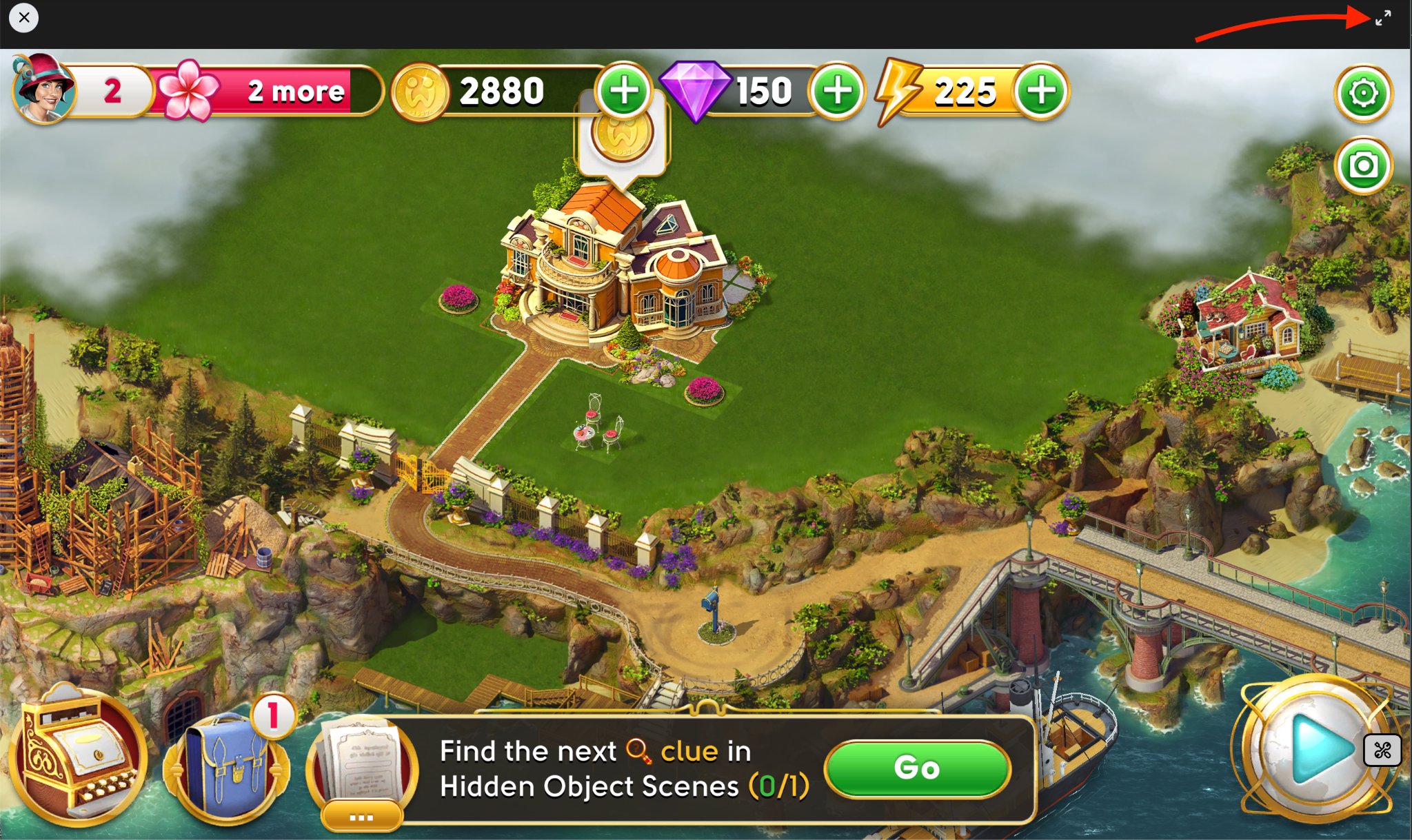
Where is the fullscreen button?
The in-game fullscreen button has been removed, however you can use the fullscreen or expand control in the Facebook window instead.
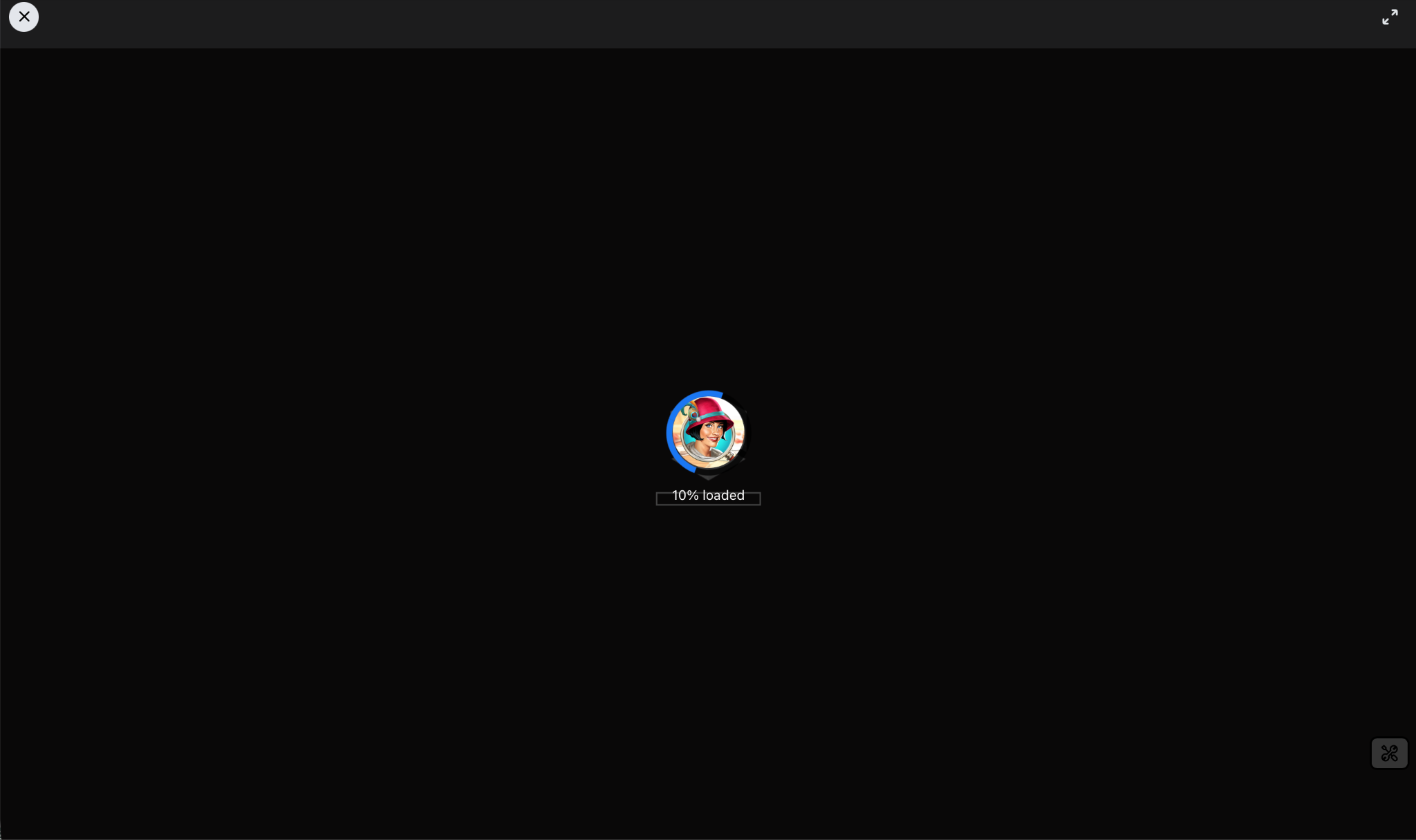
Why does the loading screen look different?
Facebook uses its own startup screen now, so the initial loading screen looks different from before. Once the game has started, everything loads just like it always has. Keep in mind that if it’s your first time opening the game after an update, the loading might just take a little longer.
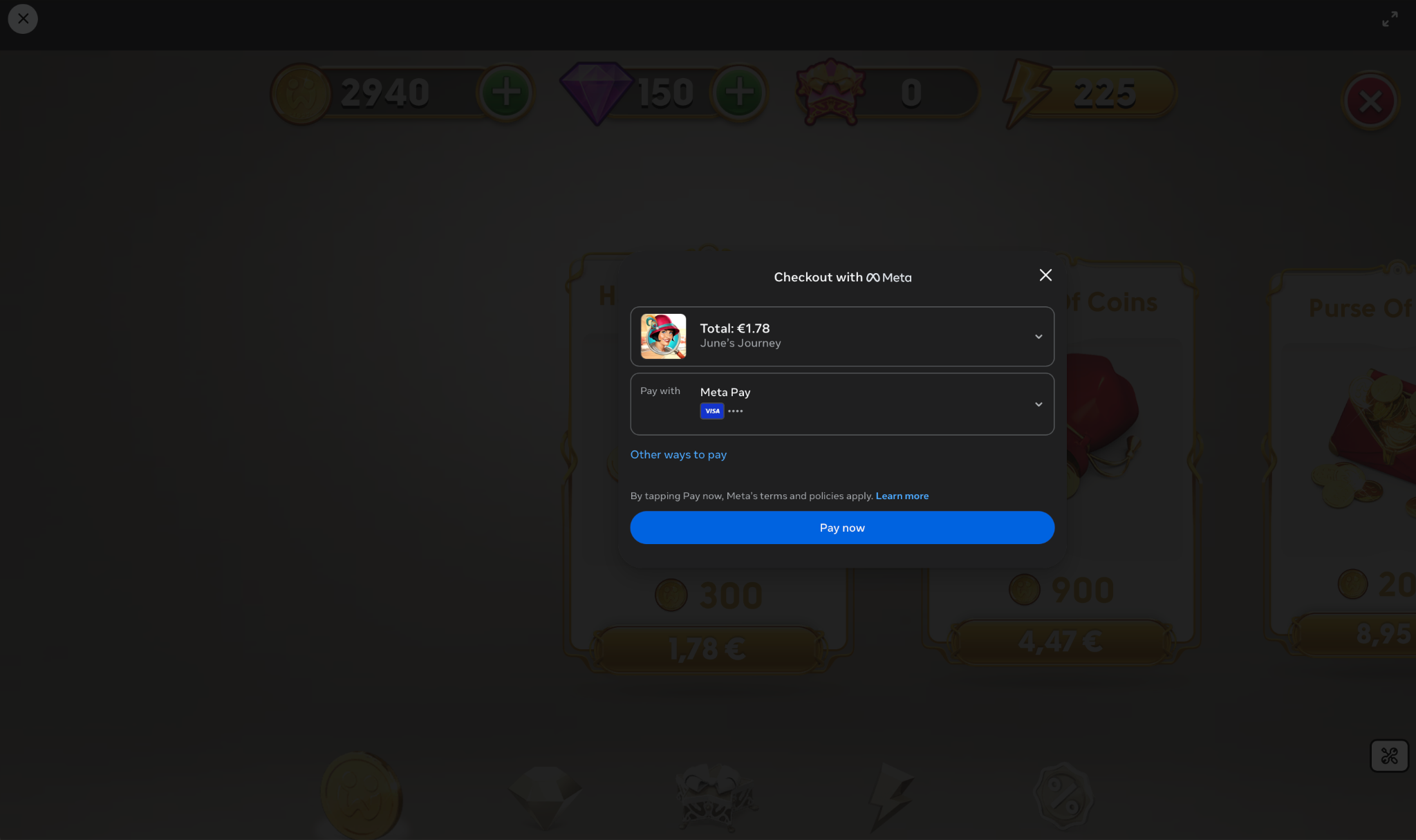
Why does the purchase dialogue look different now? Is it safe?
Yes, it is completely safe! Purchases are now handled directly through Facebook’s official checkout for extra security.
The screen looks slightly different, but the process works just like before. Because Facebook verifies each digital receipt with our servers to protect your account, delivery may simply take a few extra seconds or complete the next time you reload the game.
What you need to know about purchases
Safe payment: Purchases use the payment method saved in your Facebook account. The game never sees or stores your card details.
Pricing & cancellations: Prices are converted and set directly by Facebook based on your region. If you cancel the payment window before confirming, you won't be charged.
Missing items? Try restarting the game first, as items usually appear upon reload.
How does my game progress transfer to Instant Games?
Your progress transfers completely automatically! As long as you log into the same Facebook account, our system finds your existing game data—whether from the old web version, the mobile app, or Instant Games—and links it seamlessly.
If different progress levels are detected, you will be prompted to pick which one to keep, so you can continue your investigation right where you left off.