What are Missions?
Detective, your next Mission awaits!
The island is buzzing with activity, and June's friends could use a helping hand. This time, you're invited to lend your skills to a series of time-limited Missions, offering a fun mix of Errands and a chance to earn rewards while helping out around Orchid Island and beyond.
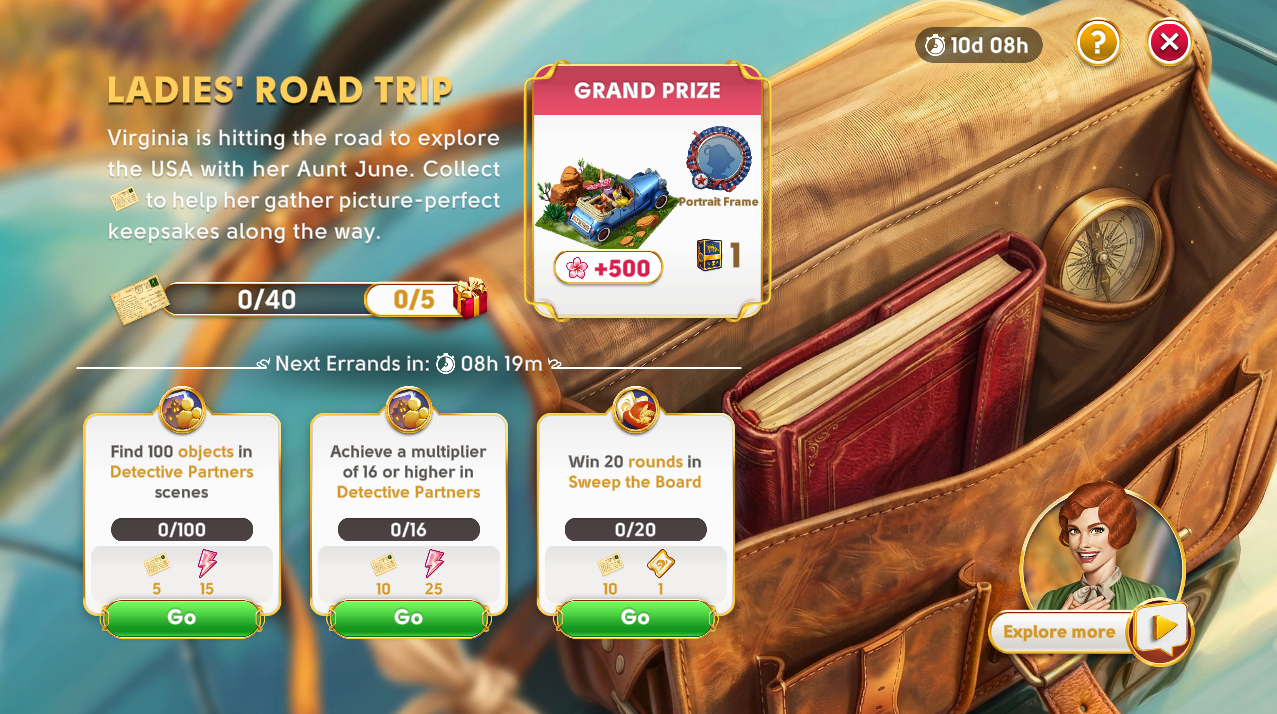
Each Mission unfolds as a themed challenge made up of Errands that inspire you to engage with different parts of June's Journey. From Sweeping the Board to uncovering hidden objects, you'll complete Errands, make progress, and earn delightful rewards along the way.
There's always something to look forward to! Missions provide a blend of exciting new themes and beloved classics. Some Missions unfold quickly, others take a bit more time. So, keep your wits sharp and your schedule clear--every Errand takes you one step closer to the Grand Prize!
The clock is ticking, Detective. Let's get to work--the island is counting on you!
What makes Missions unique?
Each Mission can come with its own theme, length, and mix of Errands, making each one of them feel fresh and unique. Errands refresh regularly, and to keep moving forward, you'll need to complete them before the next batch arrives.
Every completed Errand earns you Mission points, which help you progress toward completing the Mission, unlocking milestone rewards along the way and, ultimately, the Grand Prize.
Lend June and her friends a hand by completing Errands, and enjoy a variety of delightful rewards as you go!
How do I unlock Missions?
You'll start unlocking Missions when you reach Chapter 4, Scene 1. Keep in mind that Missions are time-limited in June's Journey, so they may not always be available.
How do I access Missions?
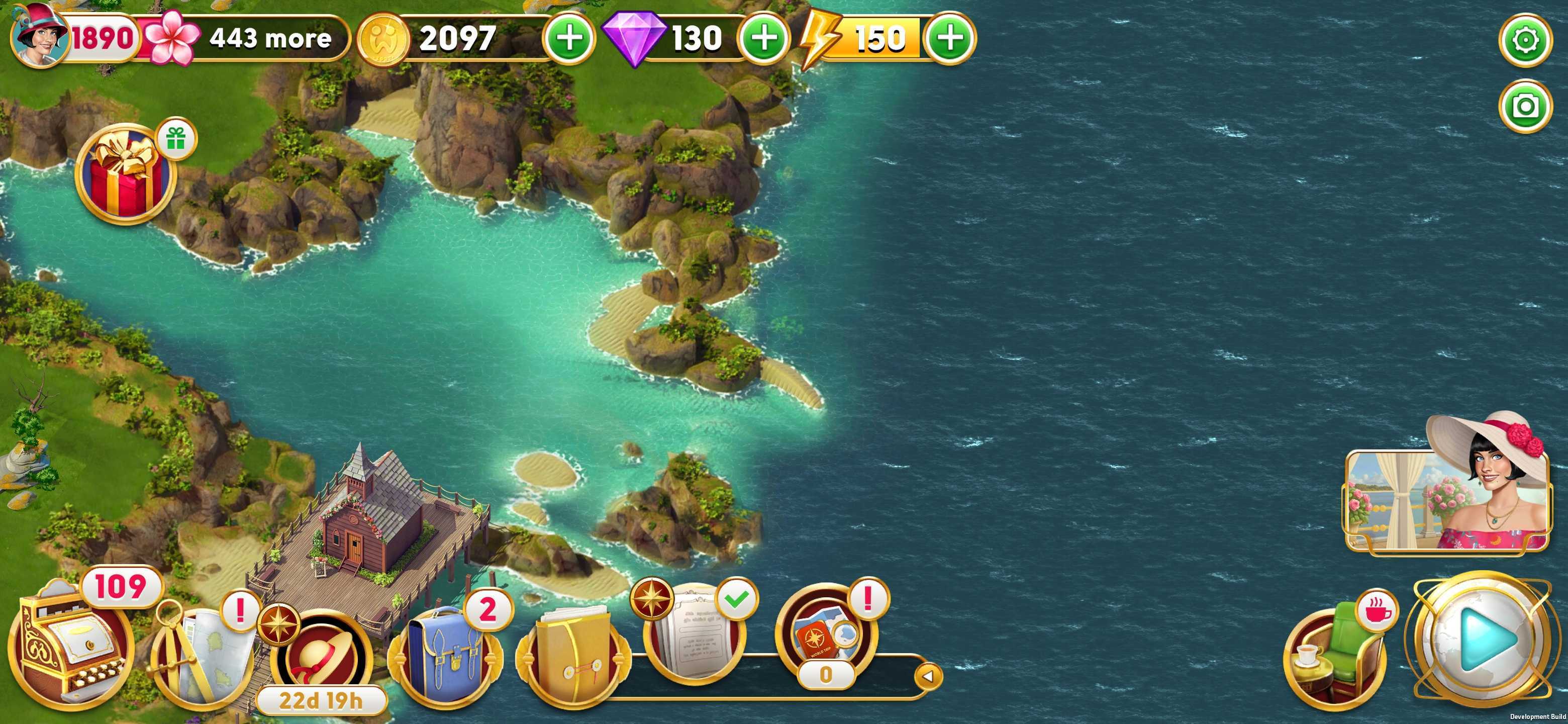
When a Mission is active and you've unlocked the Missions feature, you'll see a button above the Scene Browser button on your main island screen.
How do Missions work?
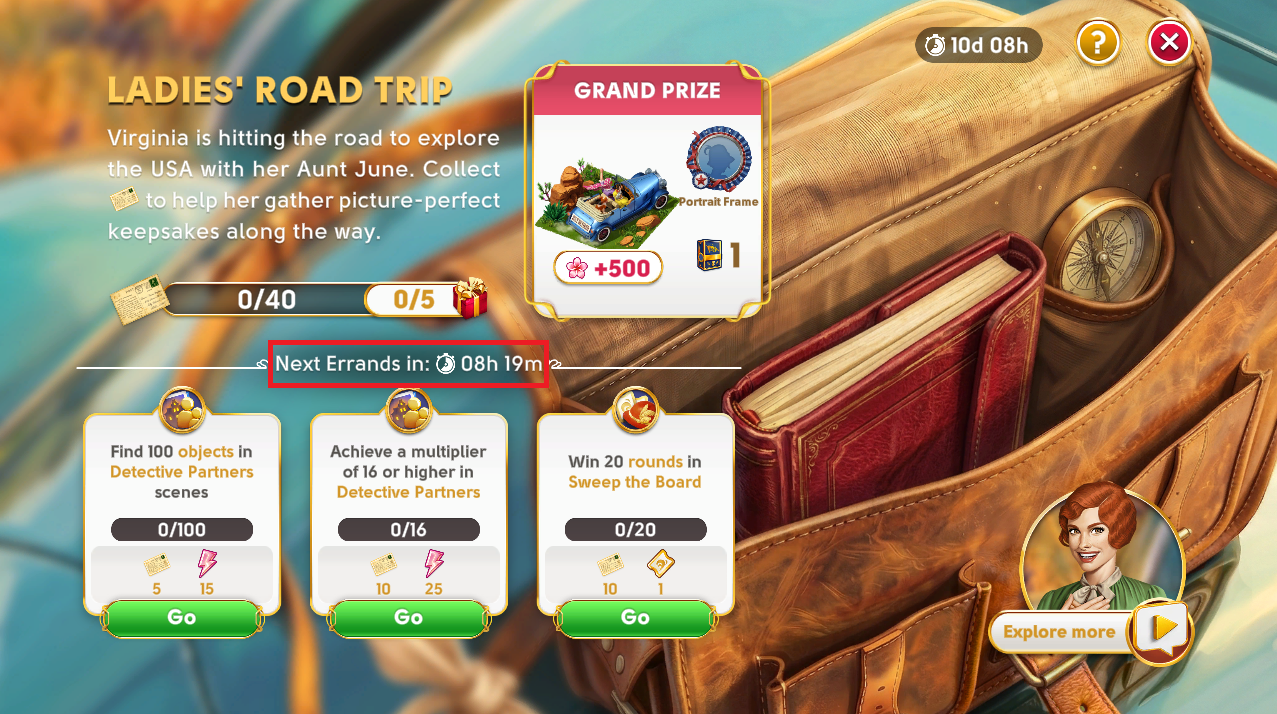
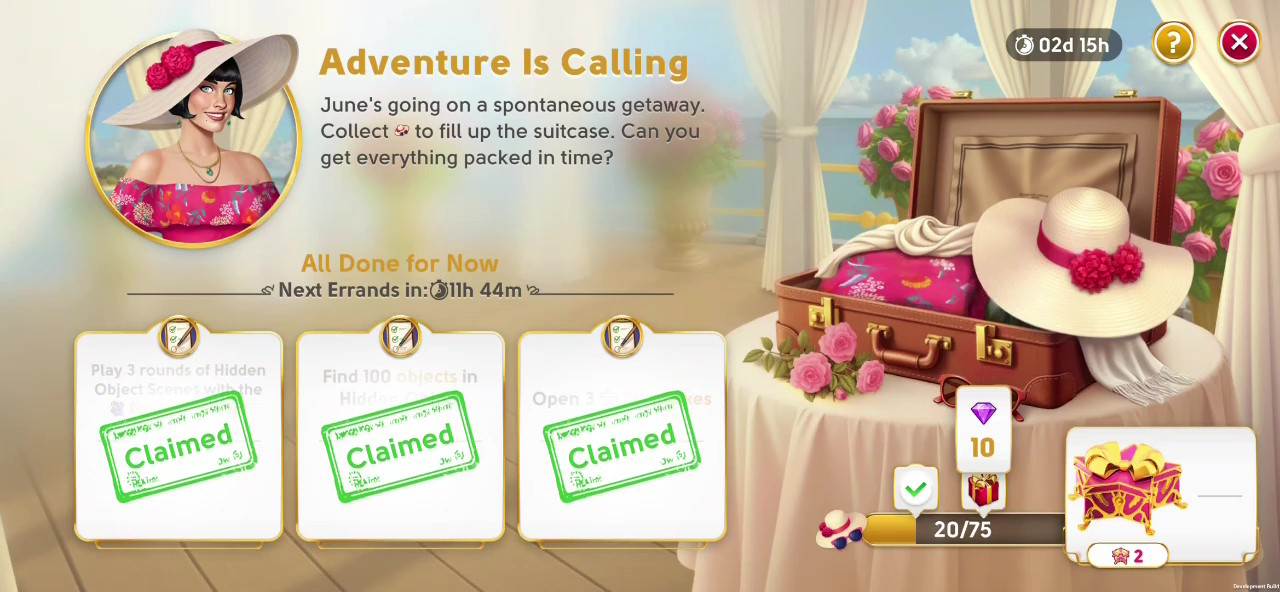
For each Mission, Errands appear in rotations, and each rotation includes up to three Errands that are available for a limited time. All Errands in a rotation refresh together when the next rotation begins, and a timer above your Errands will show when a new rotation is on the way. Completing Errands before the rotation changes ensures you make the most of each opportunity to earn rewards and progress.
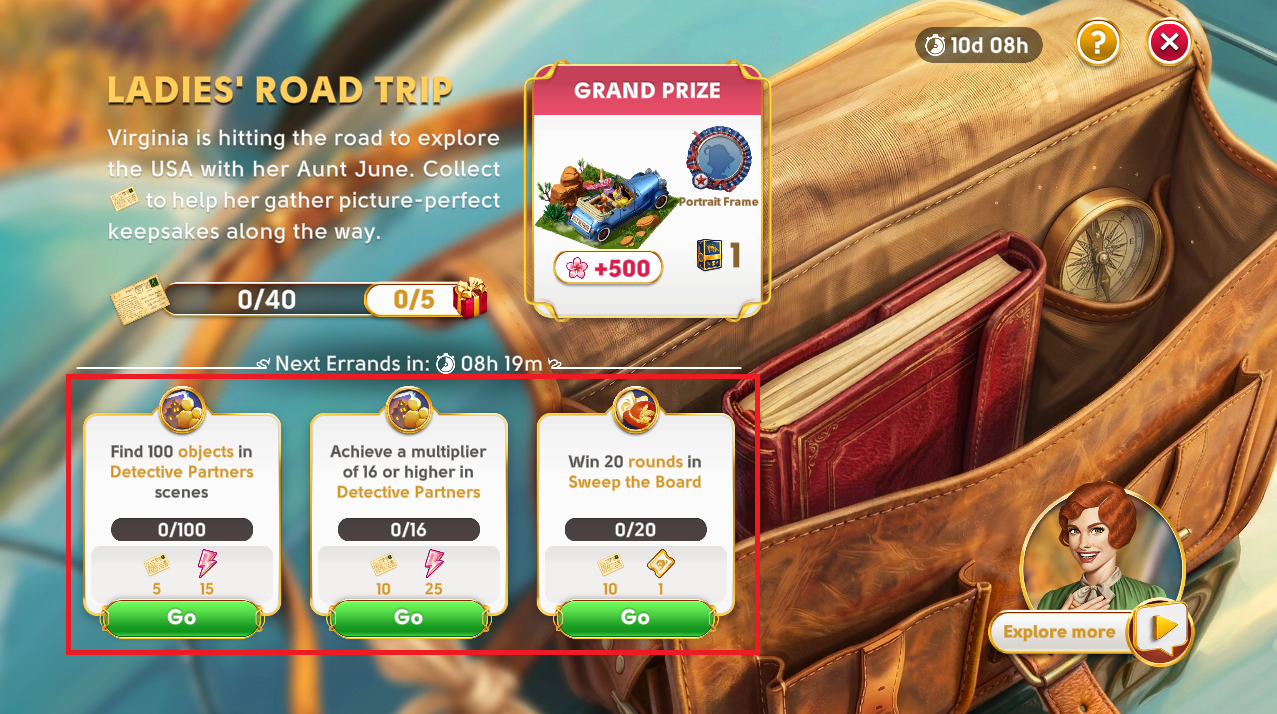
Each Errand includes:
A description
An Errand progress bar
Errand rewards
A shortcut button to the event or feature you'll play to complete the Errand
Errands will invite you to interact with different parts of June's Journey. For example, you might be asked to take part in Sweep the Board in a specific way. Completing Errands earns you Mission points, and sometimes an extra reward, too! Mission points help you move forward in the Mission and unlock milestone rewards--and if you complete the entire Mission, you'll earn the Grand Prize!
What is the Community Goal and Community Reward?
Some Missions feature a Community Goal! This is a special challenge where the entire Detective community works together to collect enough Mission points to unlock an exclusive Community Reward.
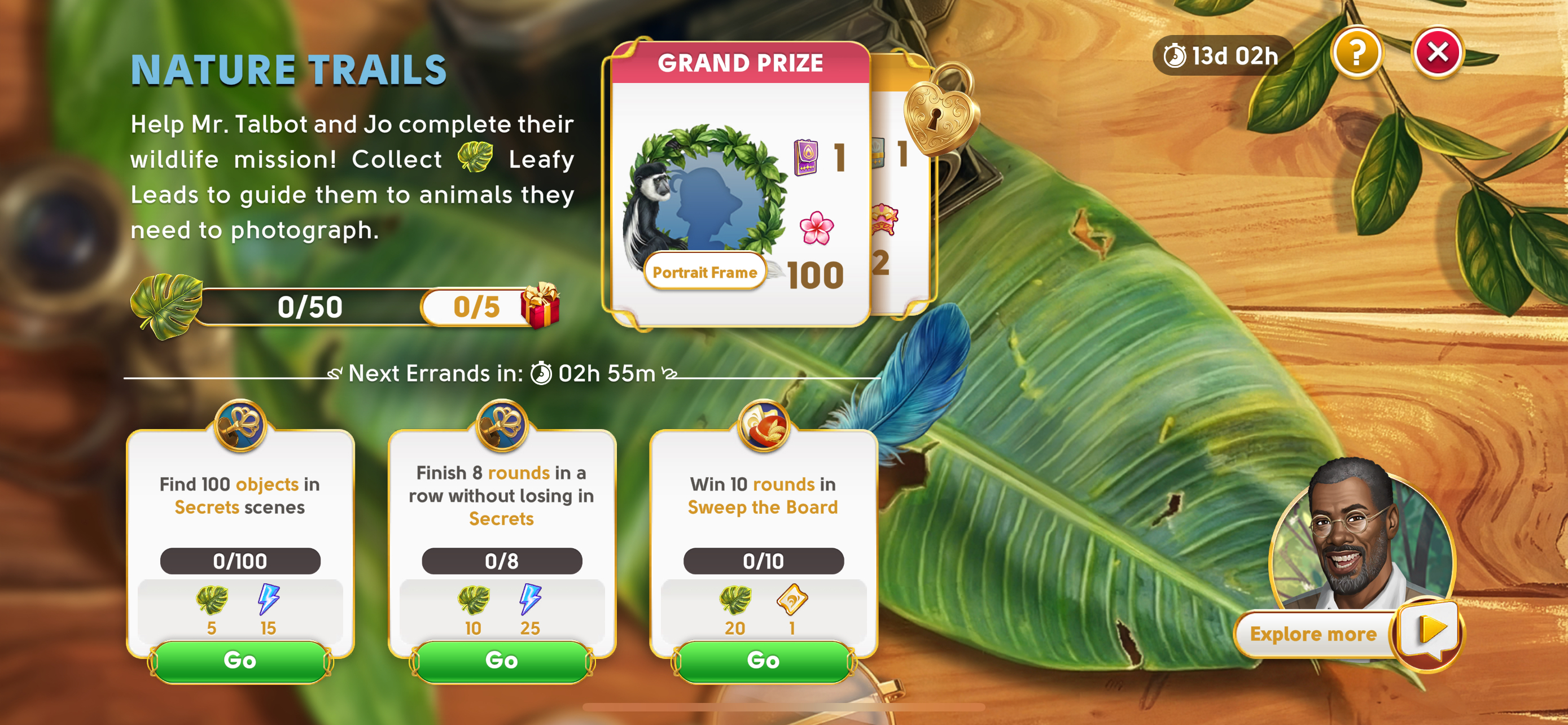
Everyone contributes! Every Errand you complete helps the entire community progress toward this shared goal from the very beginning of the Mission.
To claim the Community Reward, two conditions must be met:
The Detective community must work together to reach the Community Goal.
You must personally reach and claim the Grand Prize for your Mission.
If you reach the Grand Prize before you have reached the community goal with the rest of the Detective community, then you can continue to finish Errands and contribute towards the community goal until it is reached.
Once you earn your Grand Prize and the community reaches the shared goal, the extra Community Reward is yours! Keep in mind that even if the community reaches the goal early, you still need to earn your individual Grand Prize to claim the community rewards.
How can I see the community goal progress?
If your current Mission contains a community goal and you haven’t reached the Grand Prize yet, then you can tap the “Grand Prize” Card on the Mission main screen to unfold the community reward card behind it. It will reveal a button that says “Details”.
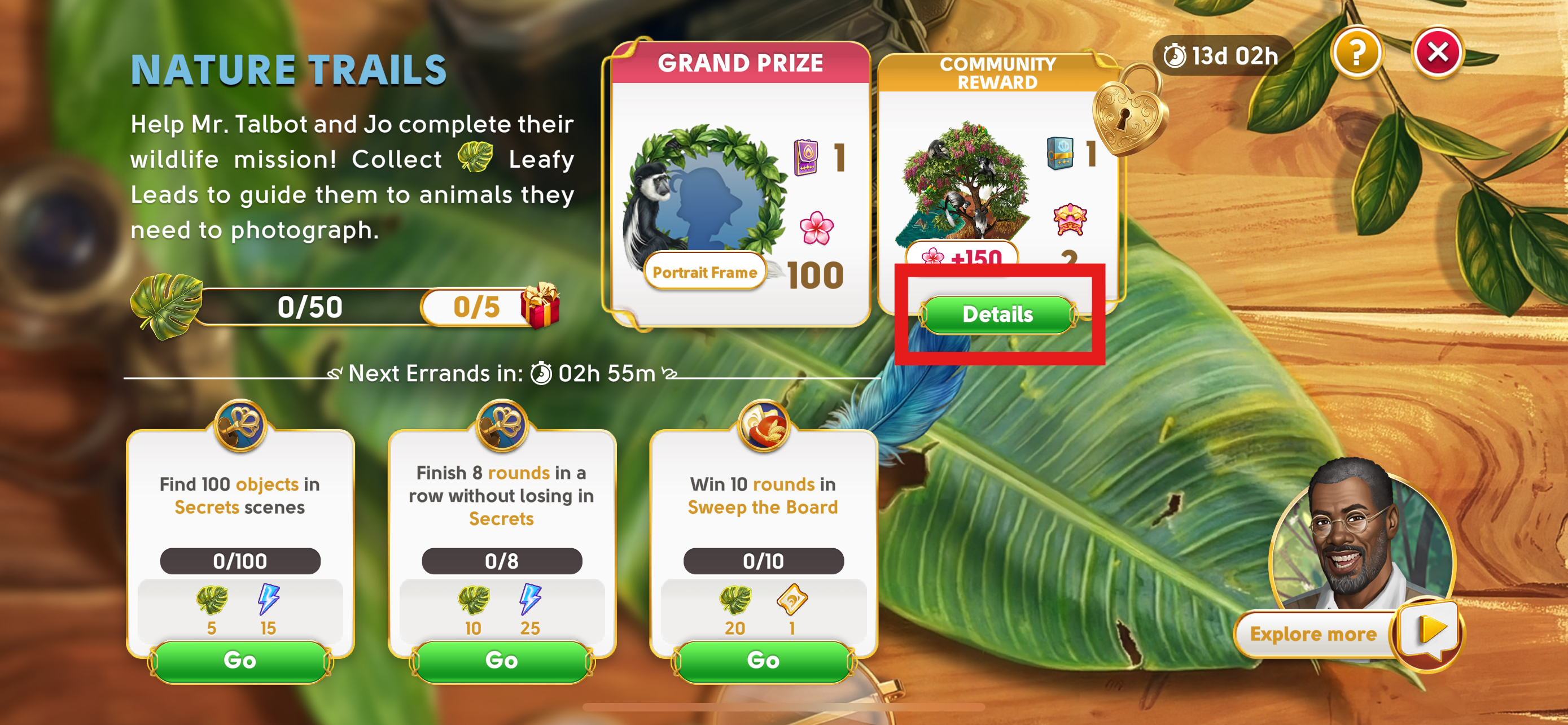
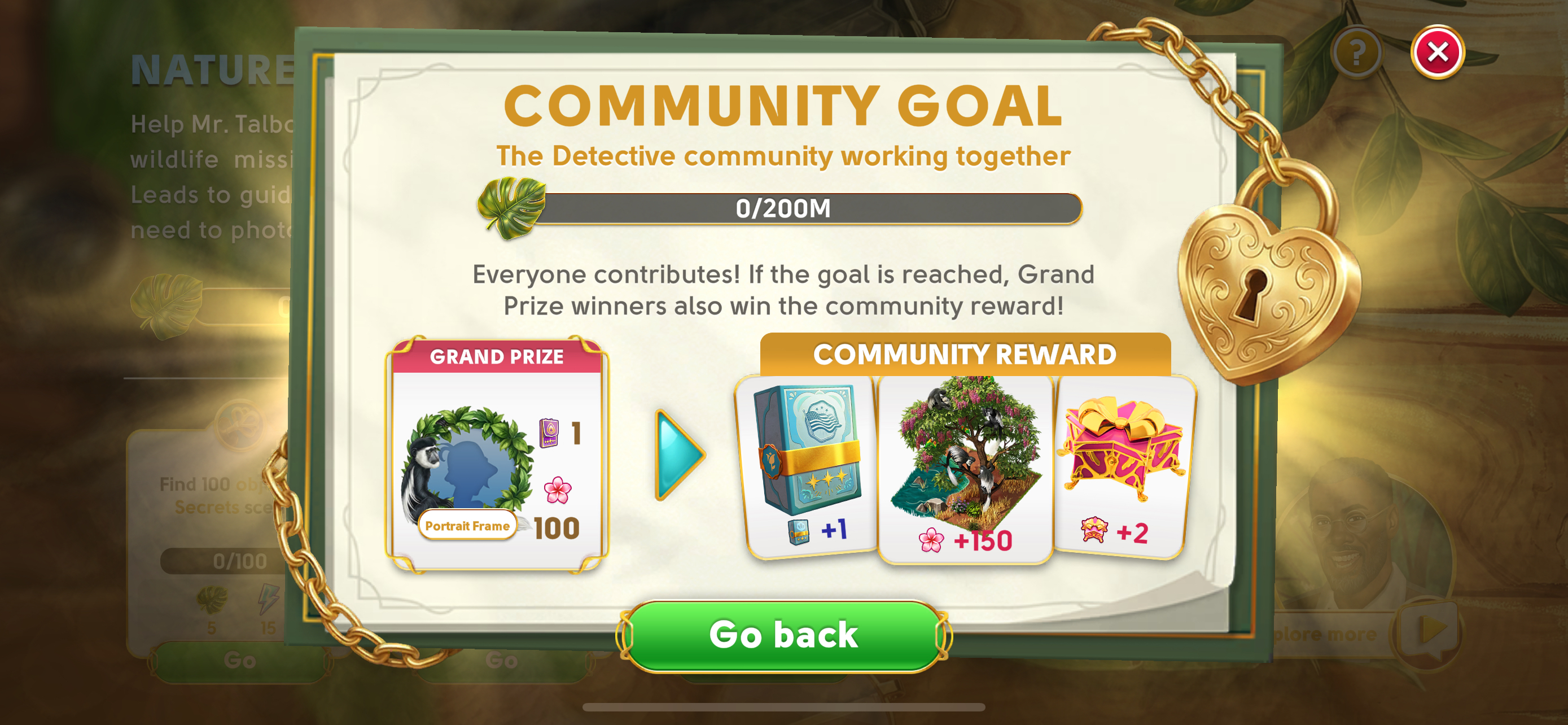
If you press this button it will open a new window which shows the current community goal progress as well as other information about the community reward.
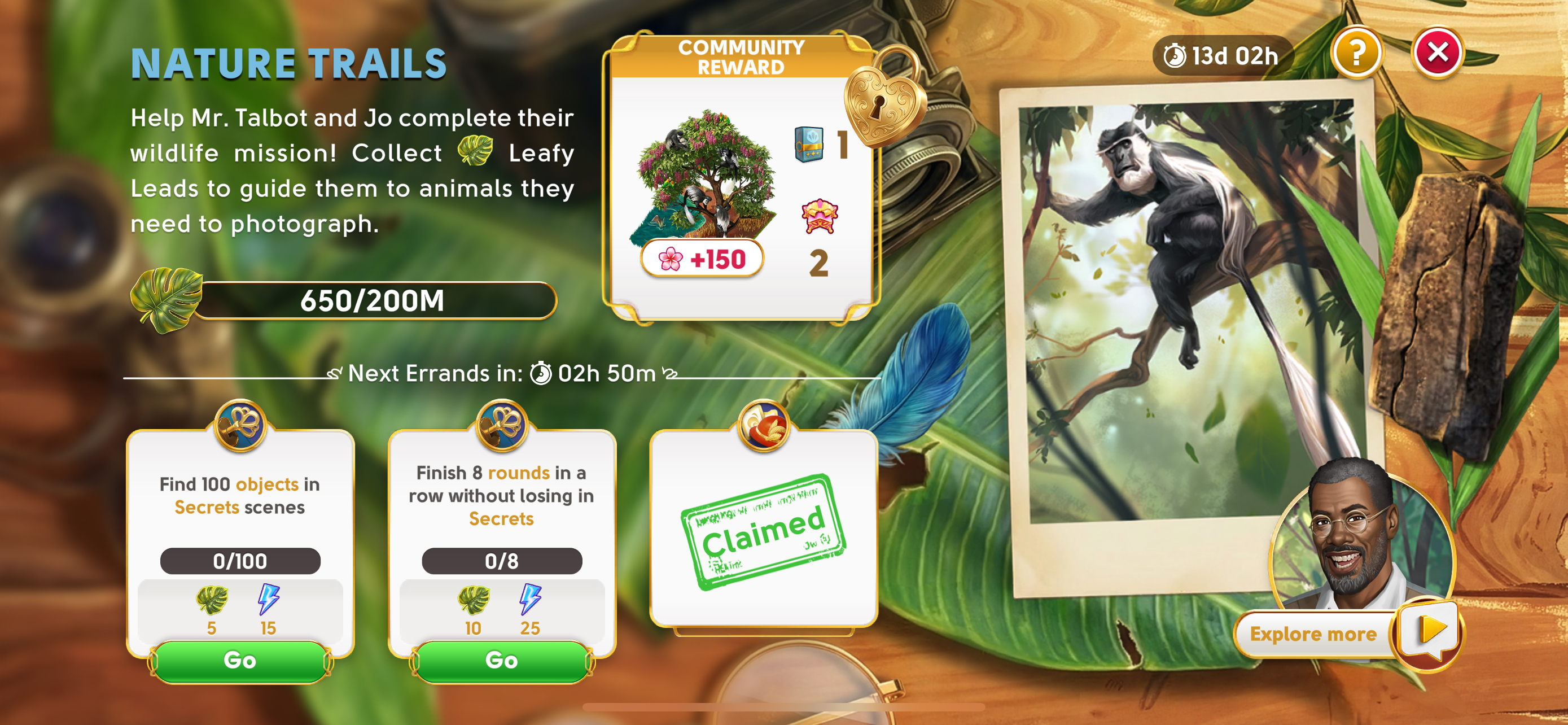
If you already received the Grand Prize then the community goal progress bar will be shown on the Mission main screen instead of the progress towards the Grand Prize or the next smaller reward.
Where can I find more details about a Mission?
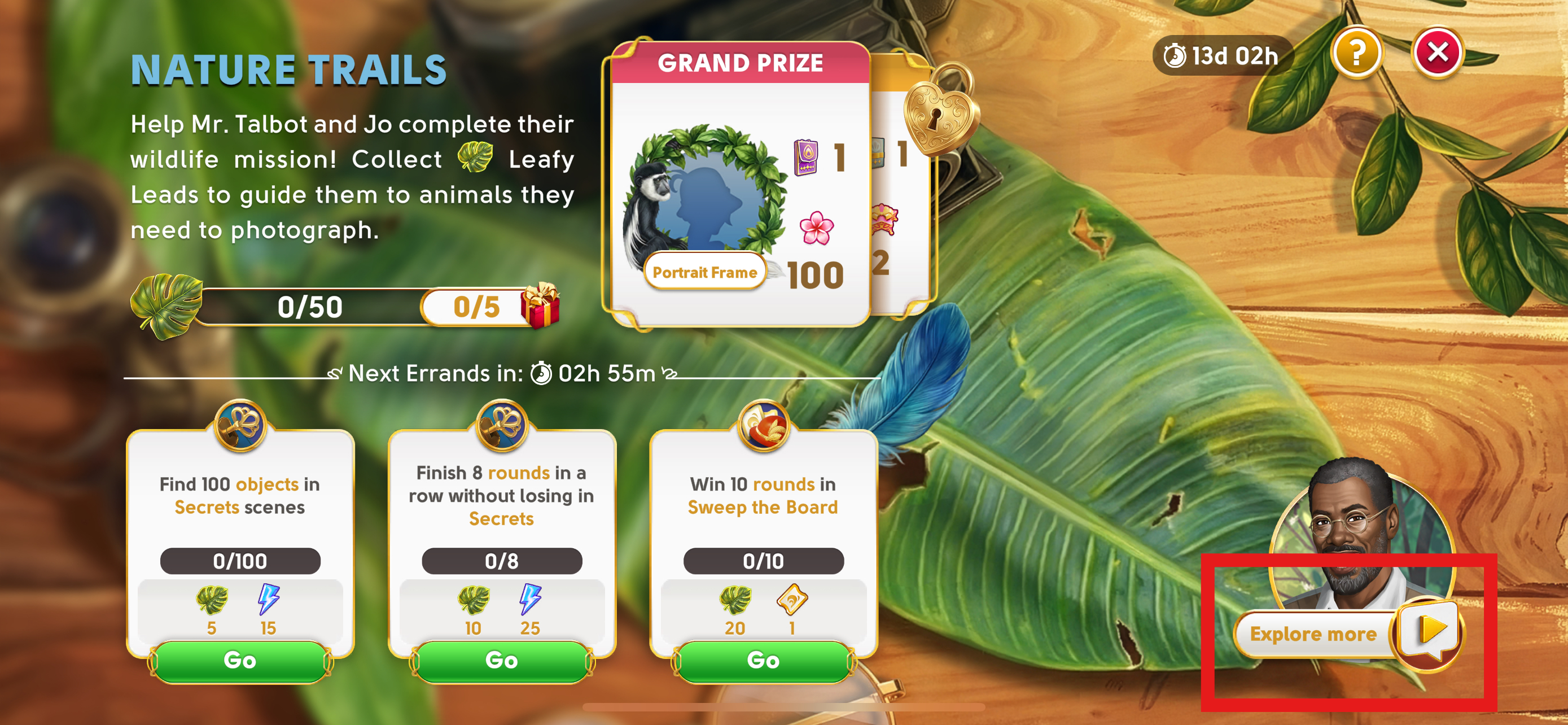
Want to learn more about the story or details of your current Mission? In some missions you can access a special info screen by tapping the button located just below the character portrait on the main Mission screen.
This screen may let you revisit the Mission's story or it might feature special links to watch a video or visit a webpage to learn even more!
When do I get new Errands?
Completed all your Errands and no new ones have appeared? That's completely normal. Mission Errands update in rotations.
Each rotation includes a set of Errands that refresh together at a specific time. If you've finished everything currently available, just wait for the next rotation to begin. A timer above the Errands shows when new Errands will arrive. Also, you'll see an exclamation notification on the Missions button, above the Scene Browser button on the main island screen, when it's time to jump back in.
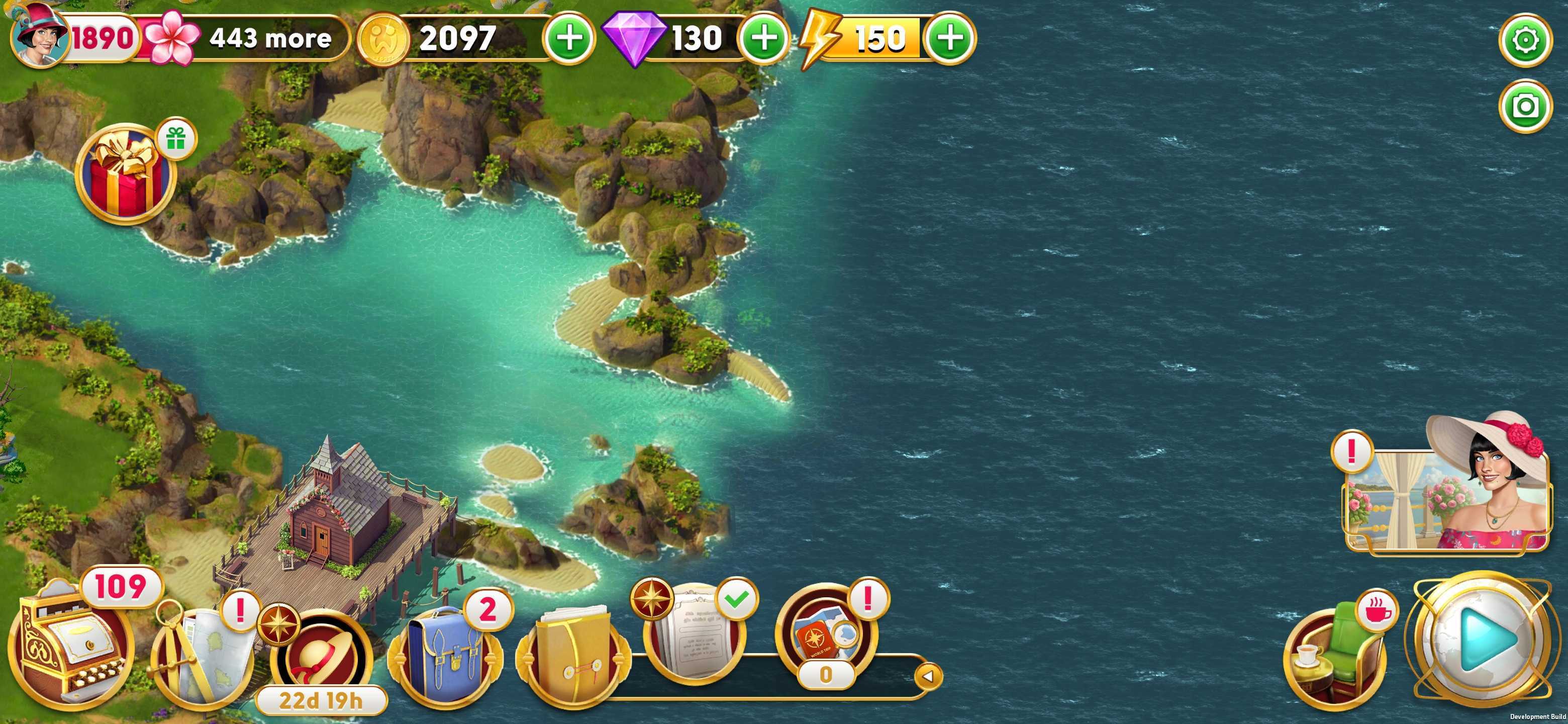
While you wait, feel free to explore the other activities that June's Journey has to offer. Just check back regularly, so you don't miss the next batch of Errands!
I didn't finish my Errands--why did they change?
Mission Errands follow a fixed schedule. If you don't complete them before the next rotation begins, they'll be replaced with new Errands and progress may be lost. Keep an eye on the timer and be sure to finish Errands in time!
Why did my Errand change before the next rotation?
Sometimes an Errand may no longer be possible to complete--for example, if it was tied to a specific event like Sweep the Board and that event ended or was completed before the Errand was. In these cases, the original Errand will be replaced with a new alternate Errand that you can complete.
The good news is that the progress you made on the original Errand won't go to waste. Whenever possible, we'll transfer your progress to the new alternate Errand. For instance, if you completed 50% of the original Errand and the alternate Errand allows for a progress transfer, that 50% will carry over--you won't have to start from scratch.
What do I get for finishing an Errand?
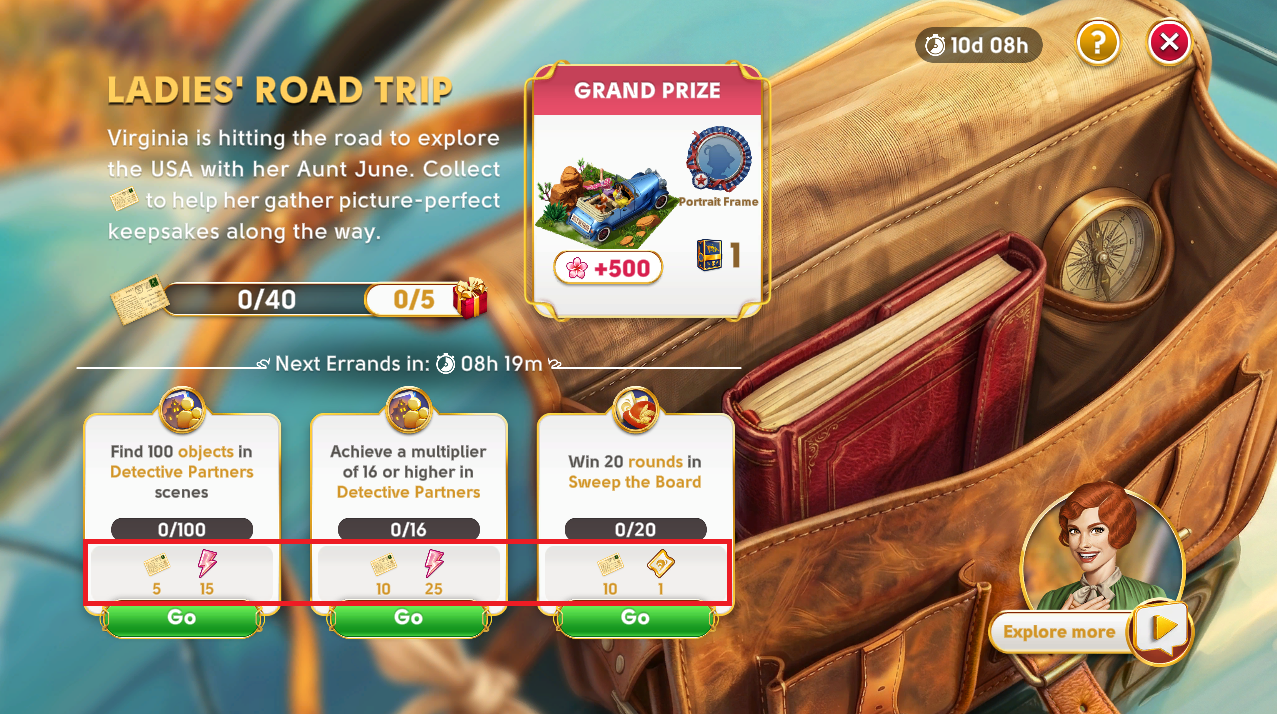
Each Errand you complete gives you Mission points to help you progress in the current Mission. You can view Errand rewards directly beneath each Errand's description on the Mission screen. You can track your overall progress on the Mission progress bar, which gives you a clear view of how close you are to completing the Mission.
How do I claim Errand rewards?
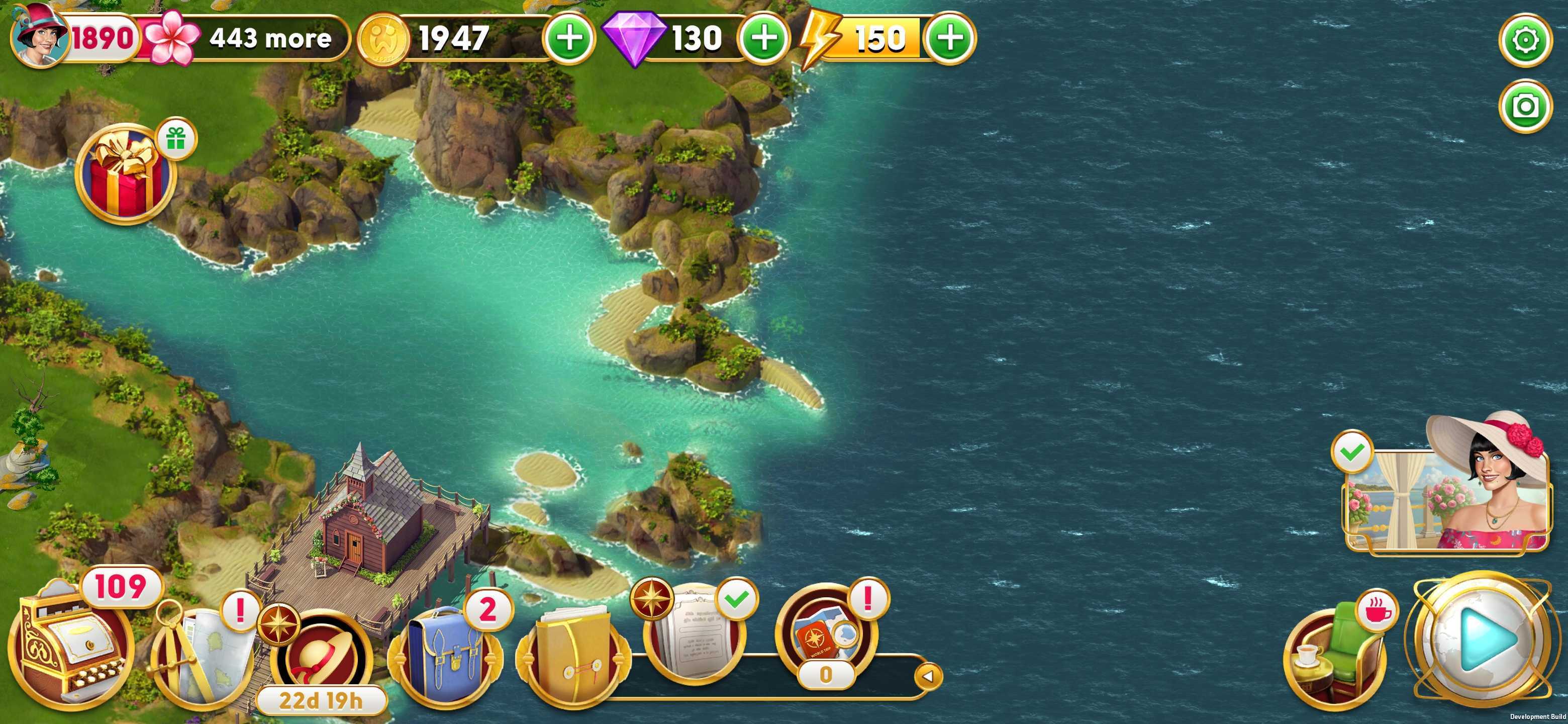
After completing an Errand, you'll receive a notification. Head over to the Mission screen to claim your Errand rewards. When you arrive at the Mission screen, the rewards will be claimed automatically.
What happens when I forget to check back on the Mission?
If you've completed Errands but you haven't visited the Mission screen in a while, don't worry--your event progress and your rewards are safe!
You can simply tap the Claim button to collect all the rewards you’ve accumulated in the meantime.
I missed a few days. Can I still earn the Grand Prize?
Each day, you can earn a limited number of Mission points by completing all available Errands per rotation. Since each Errand grants a set amount of points, this means there's a cap on how many you can earn daily.
To stay on track for the Grand Prize, it's important not to miss too many days. However, if you do fall behind, you can still make the most of your progress! Even if the Grand Prize slips out of reach, you'll still earn rewards for every Errand you complete--plus, you might still unlock exciting milestone rewards along the way.
So, keep going and enjoy the journey--every bit of progress counts!
How can I see what a milestone reward contains?
Each milestone reward has its own progress bar. At the end of a progress bar you see how many milestone rewards the current Mission has (including the Grand Prize) and a gift box next to it. When you open the Mission screen, a milestone notification bubble may automatically appear, showing you the contents of the next upcoming milestone reward.
Missed the milestone notification bubble or it didn’t open automatically? No problem! You can tap on the gift box at any time to view the reward details for that specific milestone. The Grand Prize is shown at any time and thus the progress bar leading up to the Grand Prize does not contain a gift box or a notification bubble.
It’s worth noting that the decorations from milestone rewards (and the Grand Prize, if the current Mission contains a community goal) go to your storage on the cargo ship. It will open automatically when you visit your island the next time, or you can tap the cargo ship anytime to access it. You can find the cargo ship on the right side of Orchid Island, near the bridge.
What happens when I complete a Mission?
If your Mission doesn't feature a Community Goal, reaching the Grand Prize is your final victory! Once you've earned enough Mission points from completing Errands, you'll see a celebration screen, receive the Grand Prize, and sometimes also a story conclusion. If the Grand Prize is a decoration, you can place your newly earned decoration on your island right away.
If your Mission does feature a Community Goal, the fun continues even after you reach the Grand Prize! The Community Reward will become your new main focus. You'll keep receiving new Errands in your daily rotations, allowing you to earn more Mission points and do your part to reach this shared goal with your fellow Detectives. For these Missions, your Grand Prize decorations will still go to your storage, but any decorations earned from the Community Reward can be placed on your island right away! Plus, if there is a story conclusion, you'll get to enjoy it after claiming the Community Reward rather than the Grand Prize.
Once everything is completely finished—either you've claimed your final individual reward or the community goal has been met—all remaining Errands will disappear, and you won't get any new Errands for the rest of the Mission. The Mission button may disappear from your island screen at this point or in some cases it may stay accessible until the Mission ends, so that you can see the Mission end results and access the info screen again.
What happens after a Mission ends?
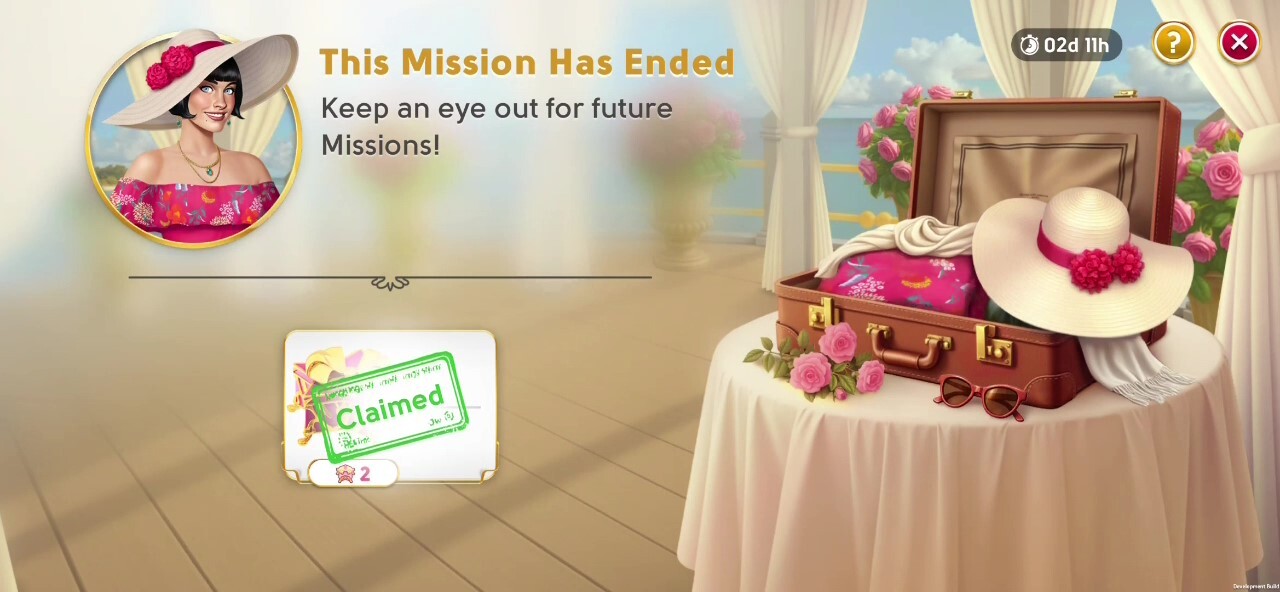
After a Mission ends, there's a short cooldown period to claim any unclaimed rewards. However, you can't make any more progress on Mission Errands or receive new Errands during the cooldown period. Once the cooldown is over, the Missions feature will disappear. Be sure to collect your rewards in time!
If you weren't able to finish one Mission, that's OK - more Missions will be coming soon enough, so keep an eye out for the next opportunity!