What is my June's Journey Profile?
Your Profile lets you decide how you show yourself to the world. You can choose your own name, portrait, and frame. Your privacy and how you appear to others are completely in your control!
Where can I see my Profile?
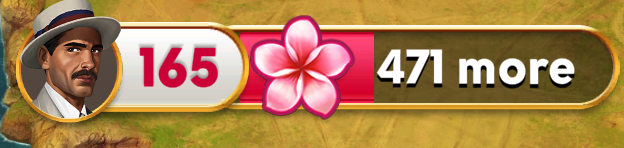
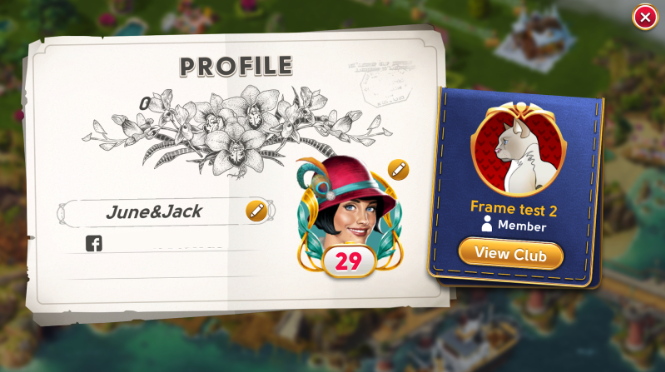
You can access your Profile from the top-left of your screen when viewing Orchid Island, as well as on the leaderboard and your club's member list.
How do I set my name?
When you begin the game, you are automatically given a randomly generated name. On your Profile, you can edit this name.
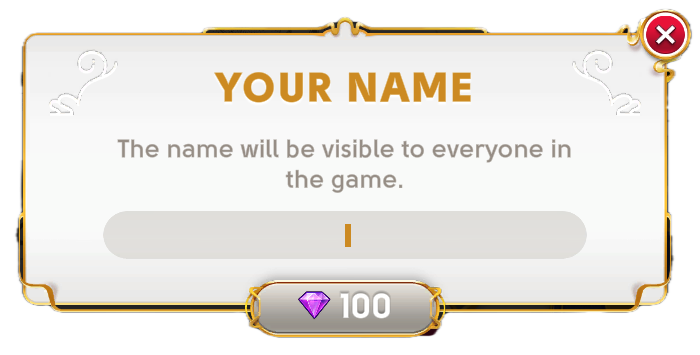
Please choose your name wisely. You can only set your name once. After setting your name for the first time, it will cost Diamonds to change your name again. Please be aware that names must be between 1 and 15 characters in length.
How do I set my portrait and frame?
You can change both the portrait and frame on your Profile screen by tapping the edit button (pencil icon) near your portrait.
Tapping the edit button will take you to the selection screen, where you can update your Profile portrait and frame.
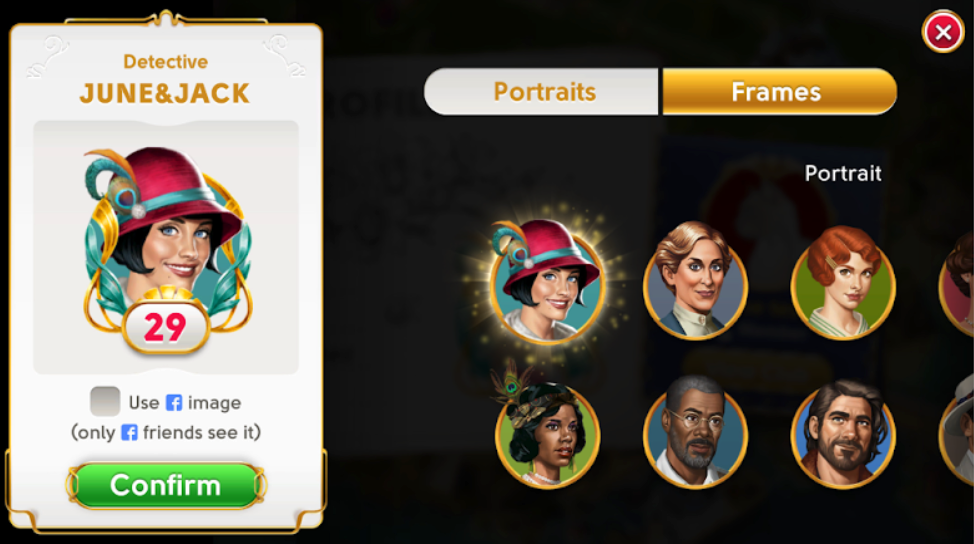
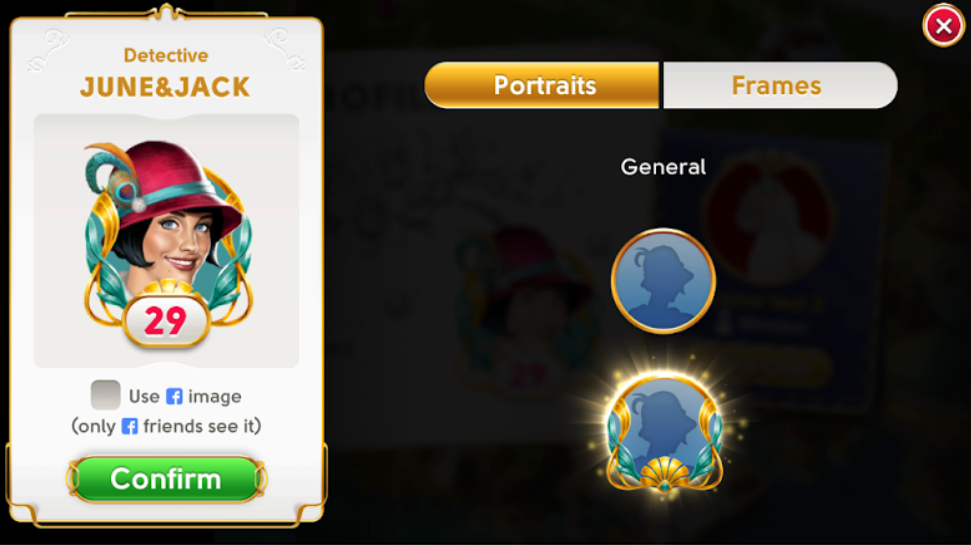
Your current portrait and frame will always appear highlighted. You can preview portrait and frame combinations on the left side of the selection screen.
After choosing the portrait or frame you'd like to use, finalize your selection by tapping the "Confirm" button on the lower left.
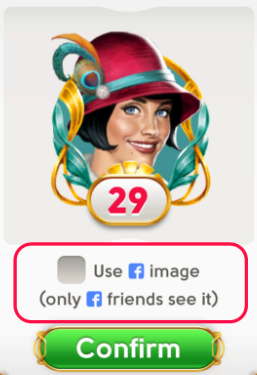
If you are connected to Facebook, you can let your Facebook friends see your Facebook image; just tap the checkbox next to "Use Facebook image" on the selection screen.
How can I get new portraits?
Who is your inspiration when investigating? In June's Journey, you can step into the shoes of your favorite characters by expanding your portrait collection!
Classic portraits:
Your journey through the story is the key to your basic collection. The more Stars you collect by progressing through the chapters, the more classic avatars will become available.
Special and limited-edition portraits:
Looking for something more unique? On top of your evergreen options, you can add special portraits of June's friends and rivals to your collection through various activities:
Detective Lounge Tip Shop: Exchange Tips earned from serving drinks.
Detective Leagues: Earn exclusive looks as rewards for your club's success.
Memoirs Déjà Vu Shop: Use your Déjà Vu Tokens.
Travels: Unlock premium portraits with the Travels Premium Pass.
Special events & sales: Keep a lookout for limited-time offers and seasonal festivities!
Who can see my Profile?
Everyone can see the name, portrait, and frame you have chosen.
For portraits specifically: If you are connected to Facebook and you chose to use your Facebook image, only your Facebook friends will see it. Everyone else will see June, or whichever in-game character portrait you last used.
How can I see someone else’s Profile?
You can view another player's Profile by tapping their portrait or name in one of these places:
Hidden Object Scene leaderboard
Visit a Friend screen
In the Detective Lounge
Detective Partners screens
Club Mysteries and club competition screens
How do I block or report an offensive player?
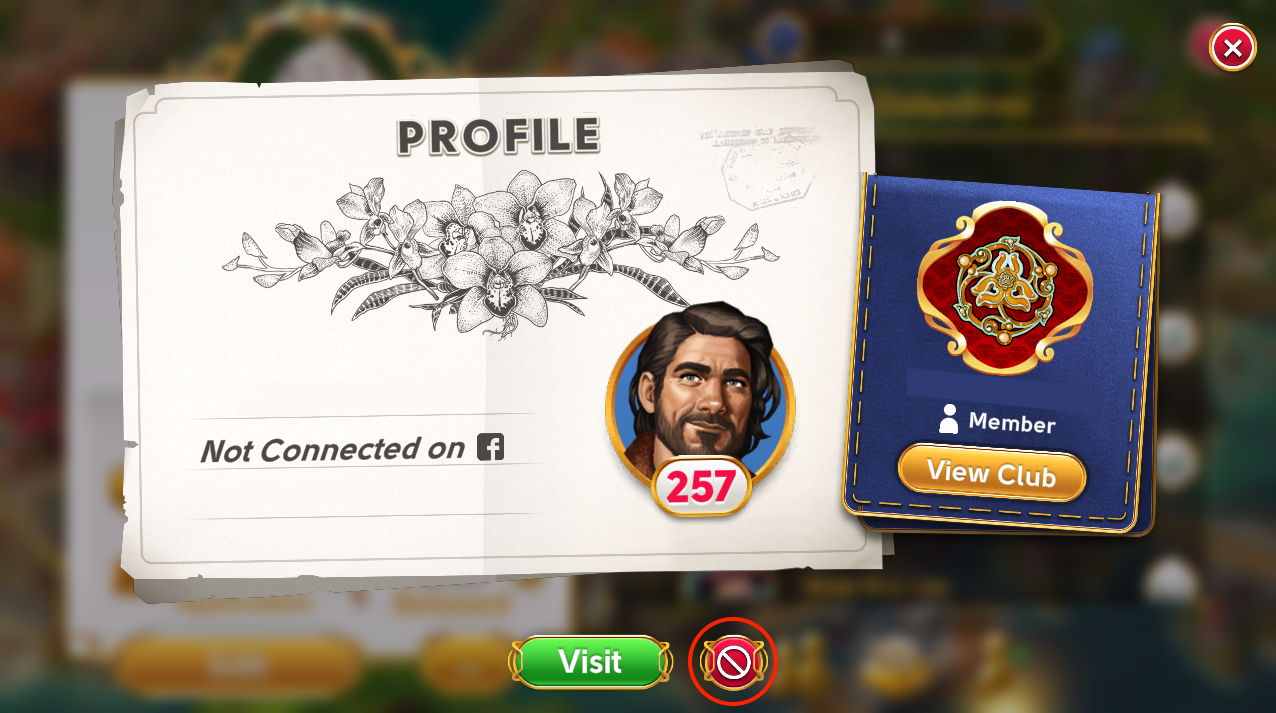
If you find inappropriate content on another player's Profile, you can press the red "🚫" button to block their name and report them. If you later change your mind, you can tap the same button and their name will return.
I don’t want to see anyone’s chosen name. What can I do?
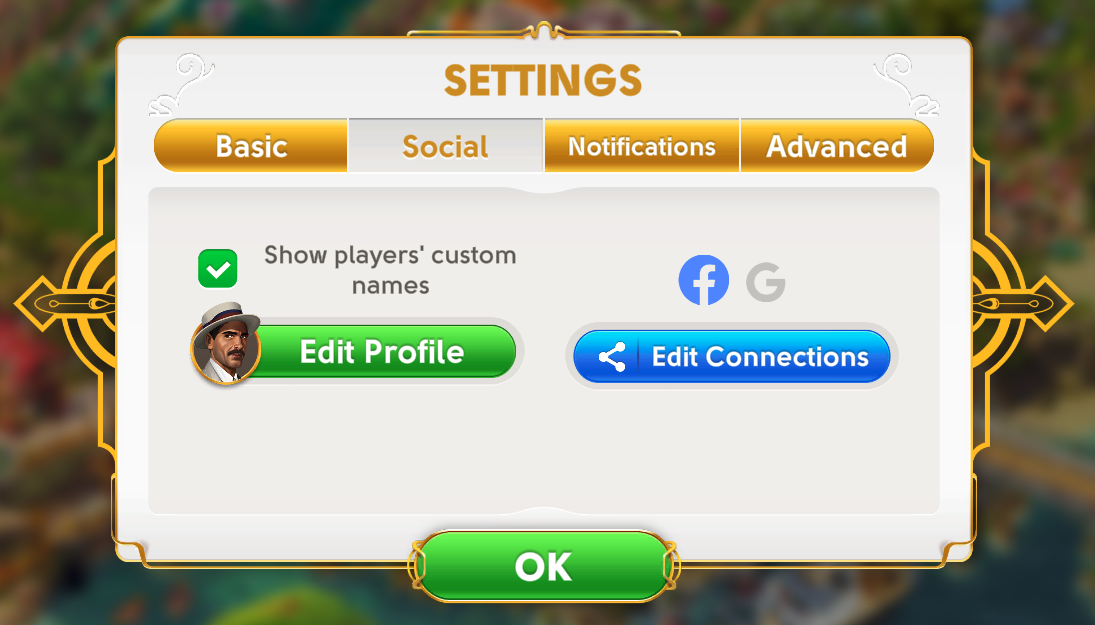
In the Settings, you can un-check the "Show players' custom names" box. After that, you will only see players' randomly generated names. The change applies everywhere, including the leaderboard, Visit a Friend screen, and on shrubs received.
What else can I do in the Profile screen?
When viewing another player’s Profile, you can also visit their island. Try giving them a shrub! You might make a new friend.